Creada por un académico, para académicos
Tus pruebas, de principio a fin.
Genera una forma única para cada estudiante, corrige con una foto y exporta el acta a Excel. La copia pierde sentido.
Nació en la sala de clases, no en una startup: 0% IA, 100% local y determinista — los datos de tus estudiantes nunca salen de tu computador.
Por qué existe EvaLumina
Evalúa mejor, no solo más rápido
La selección múltiple bien construida mide aplicación del conocimiento, no solo memoria. Banco de preguntas propio, escala de notas a tu medida y detalle pregunta por pregunta para detectar ítems débiles y mejorar cada instrumento.
Diseñada contra la copia
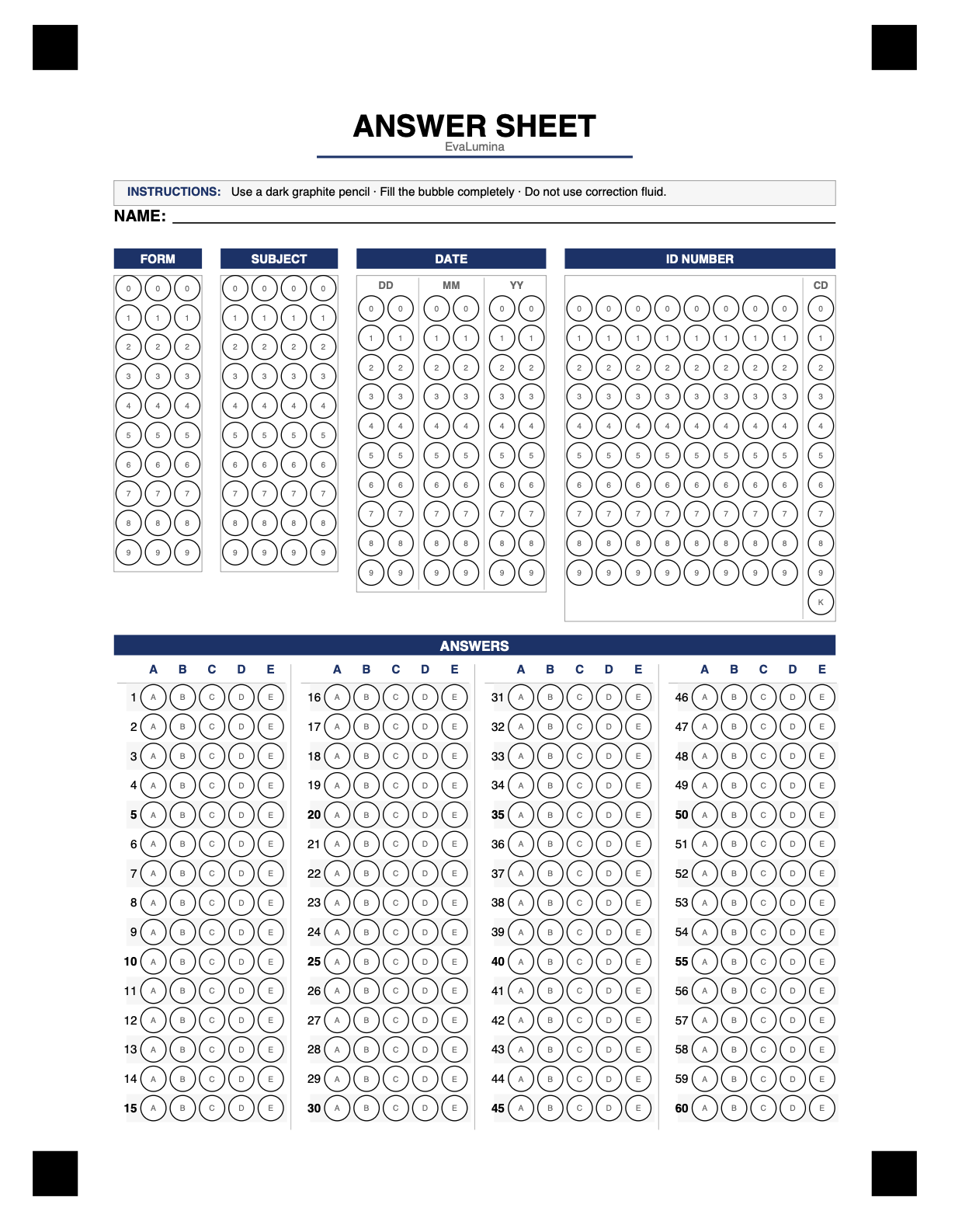
Cada estudiante recibe una forma distinta con alternativas barajadas, y la pauta viaja cifrada: no puede leerse ni con el archivo en la mano. Mirar la hoja del compañero deja de servir.
Los datos no salen del aula
Corregir con IA alucina y procesa a tus estudiantes en servidores externos que alimentan a los propios modelos. EvaLumina hace todo en tu computador: el mismo resultado siempre, sin internet y sin exponer a nadie.
"Llevo 12 años evaluando cursos grandes con selección múltiple: bien usada, mide aplicación del conocimiento, no solo retención. Soy intolerante a la deshonestidad, y desde ese dolor construí EvaLumina con mis propias manos, para mi propio uso, siguiendo el flujo real de un examen en la sala de clases. La IA era la tentación fácil, pero alucina y procesa a los estudiantes en servidores externos — por eso aquí todo ocurre en el computador del profesor."
Cómo funciona
Tres pasos para usarla
-
1
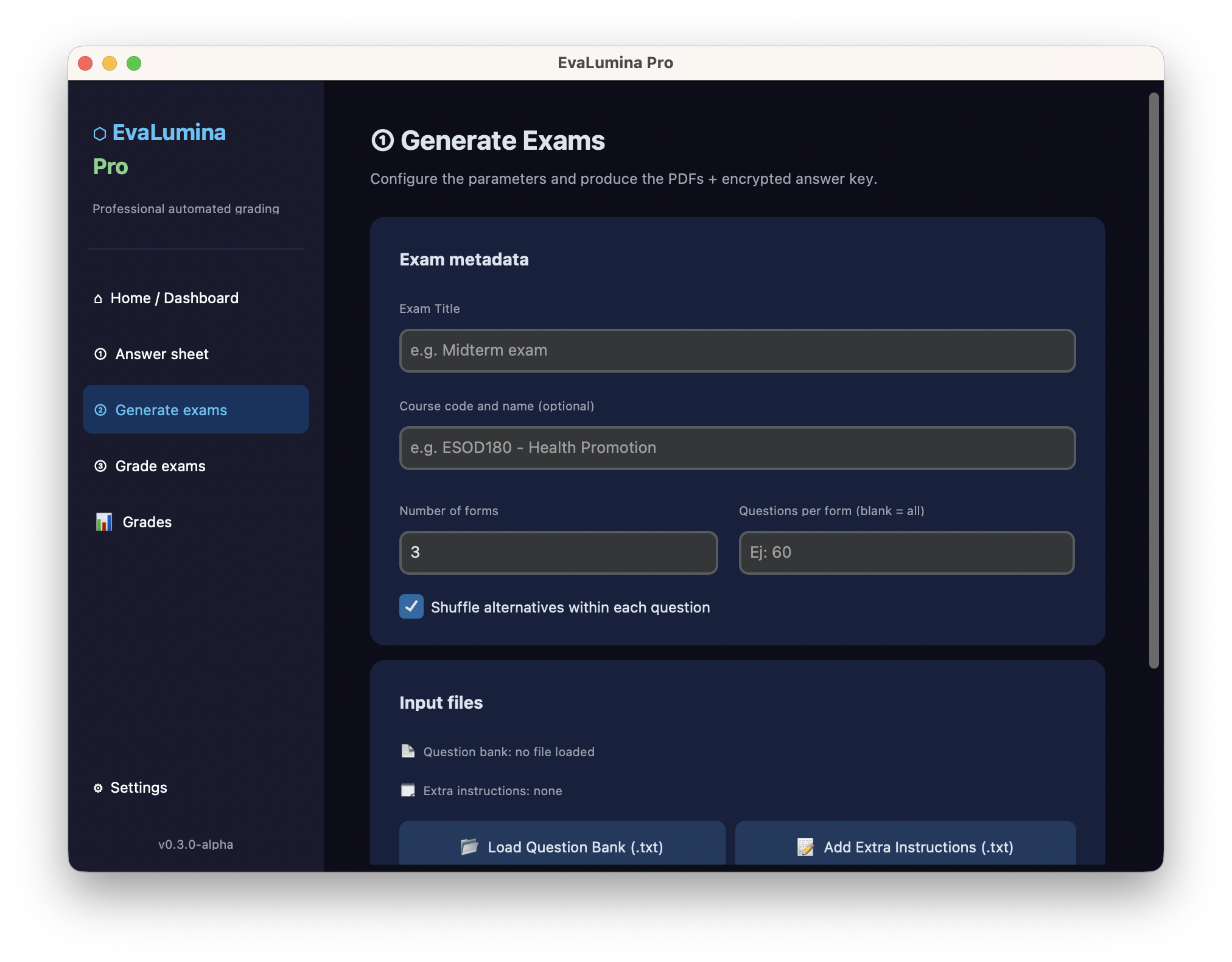
Genera y personaliza tus PDFs
Crea pruebas aleatorizadas desde tu banco de preguntas: ningún estudiante recibe el mismo formato.
-
2
Escanea tus pruebas
Cámara de móvil o escáner de mesa. Soporta PDF multipágina.
-
3
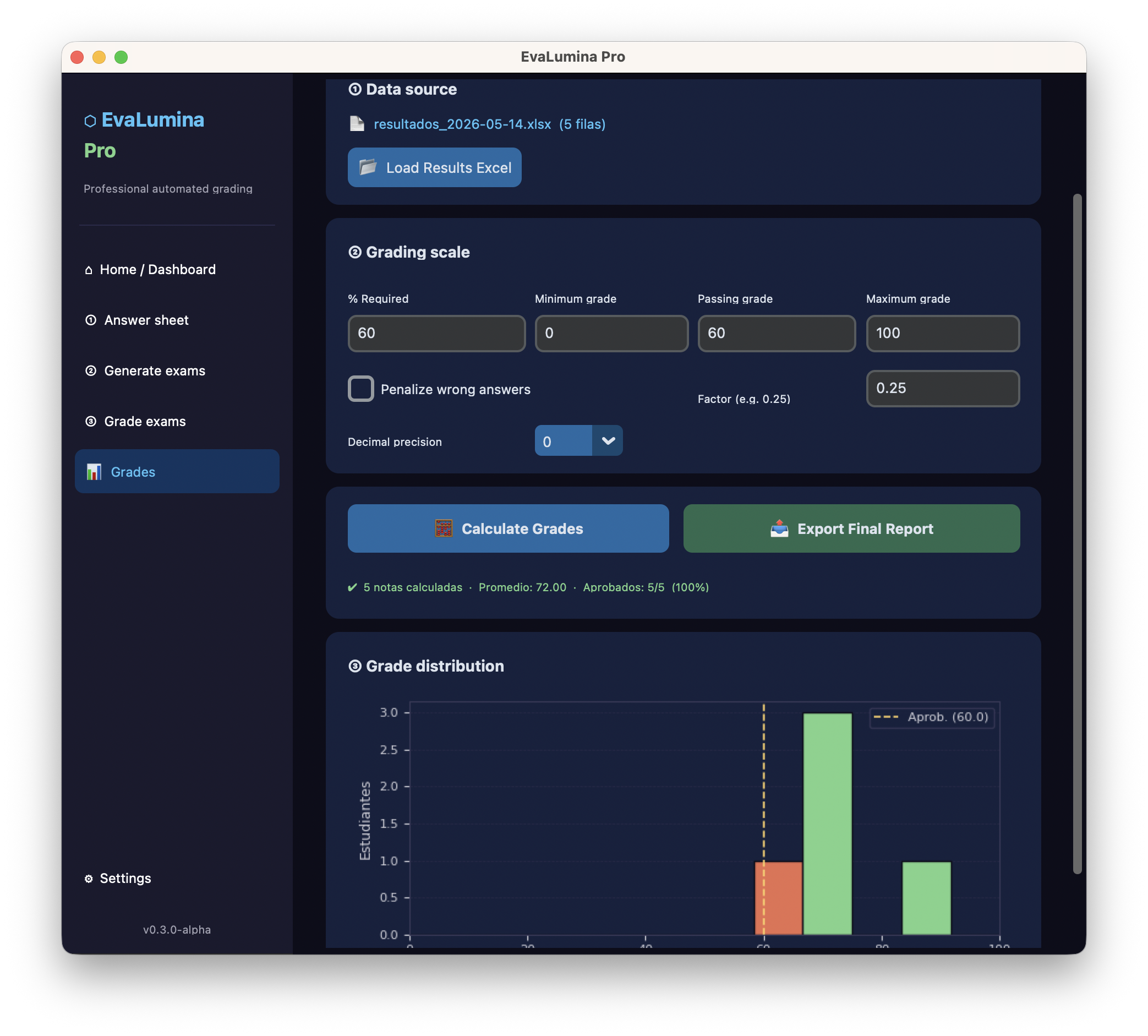
Procesa y exporta a Excel
Notas finales con precisión de un decimal: resumen y detalle pregunta por pregunta.
Descarga
Versión gratuita — hasta 80 estudiantes por lote.
Todos los releases y changelog en github.com/diegohalabi/evalumina-app.
macOS
Apple Silicon · M1 / M2 / M3 / M4
DisponiblemacOS
Intel
DisponibleWindows 10 / 11
.zip portátil
DisponibleInstalación
macOS
- Abre el
.dmgy arrastra EvaLumina a Aplicaciones. - macOS dirá que la app "está dañada" o la bloqueará — no lo está: es el aviso estándar para apps aún no notarizadas por Apple. Desbloquéala una sola vez desde Terminal:
xattr -cr /Applications/EvaLumina.app - ¿Prefieres no usar Terminal? Intenta abrir la app y luego ve a Ajustes del Sistema → Privacidad y seguridad → Abrir de todos modos.
Windows 10 / 11
- Descomprime el
.zipportátil. - Doble clic en
EvaLumina.exe. - Si aparece SmartScreen: Más información → Ejecutar de todas formas.
Free vs. Pro
EvaLumina Free
$0
- Hasta 80 estudiantes por lote
- Motor OMR determinista completo
- Exportación a Excel
- 100% offline · tus datos no salen del equipo
EvaLumina Pro
$29 USD · pago único
- Todo lo de Free, y además:
- Procesamiento ilimitado
- Logo institucional en los PDFs generados
- Soporte prioritario
Pago único, sin suscripción: licencia perpetua para un computador. Recibes un código y activas dentro de la app al instante.
Preguntas frecuentes
¿Pro es un pago único o una suscripción?
Pago único: $29 USD una sola vez y la licencia es perpetua. Sin suscripciones ni cobros recurrentes.
¿En cuántos computadores puedo usar Pro?
La licencia se activa en un computador y queda vinculada a él. Si necesitas varios equipos o una licencia institucional, escríbenos a contact@evalumina.app.
¿Necesito conexión a internet?
Para corregir, no: EvaLumina funciona 100% offline y los datos de tus estudiantes nunca salen de tu equipo. Solo el canje del código de activación usa internet una vez; si el equipo no tiene conexión, también activamos por correo.
¿Las actualizaciones están incluidas?
Sí. La licencia es perpetua y sigue funcionando con las nuevas versiones de la app.
¿Emiten comprobante de compra?
Sí: el pago con tarjeta lo procesa Lemon Squeezy, que envía el comprobante automáticamente. Para órdenes de compra o convenios institucionales, escríbenos a contact@evalumina.app.